

Ready to go further?
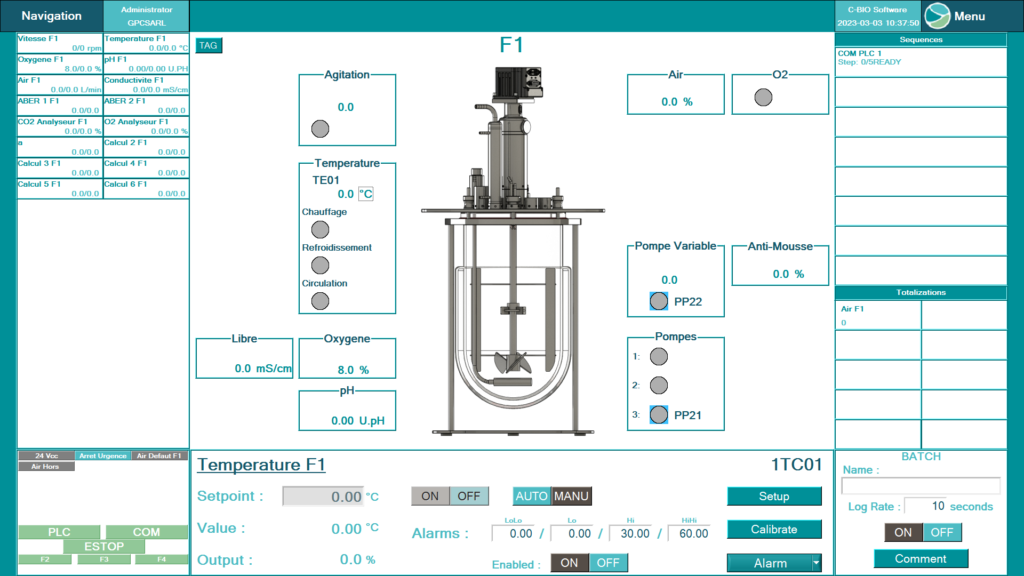
Discover our step-by-step tutorials to get started with C-BIO 2: controller setup, sequences, trends, data export and more.
User access levels
Multiple access levels can be configured directly. You can choose the number and profile of people with access, and modify access levels according to the quality security requirements of your processes or your organisation.
| Function | OperatorOper. | EngineerEng. | AdministratorAdmin |
|---|---|---|---|
| Login / Logout | |||
| Change passwords | |||
| User management | |||
| Electronic signature | |||
| Curve module access | |||
| Audit trail | |||
| Acknowledge / clear alarms | |||
| I/O calibration | |||
| Controller configuration | |||
| Profile / sequence creation | |||
| Start / stop a batch | |||
| Calculation module access | |||
| Set a setpoint | |||
| Analogue I/O totalisation |
Functional modules
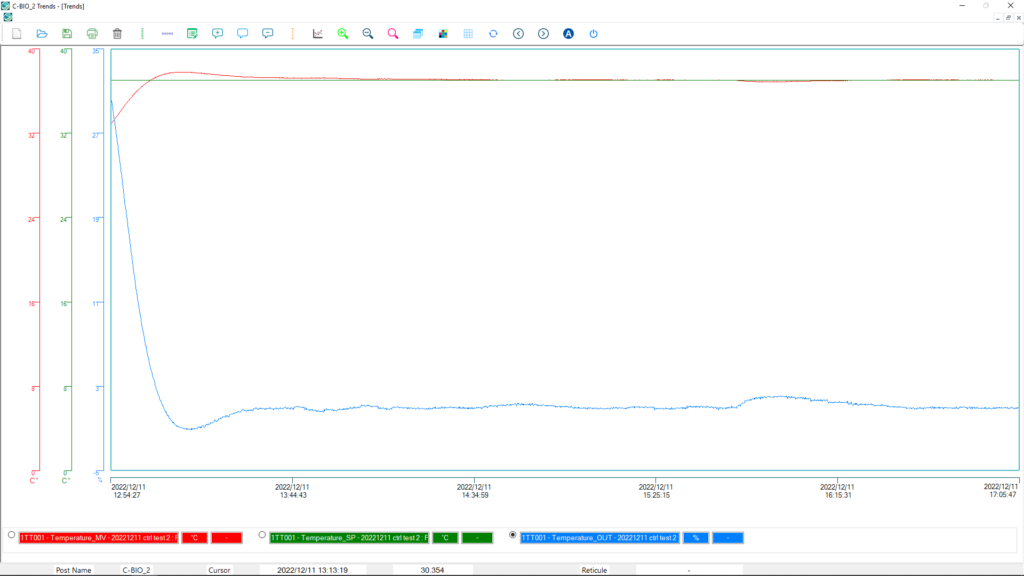
Curve management
- Display of up to 16 simultaneous curves
- Configuration of X and Y scales and intervals
- Display of current production batches
- Crosshair, manual or automatic zoom functions
- Colour editing per curve, grid/reference display
- Database editing in graphical or text format
- Comment function
- File Recording and Transfer Format: CSV
Sequences
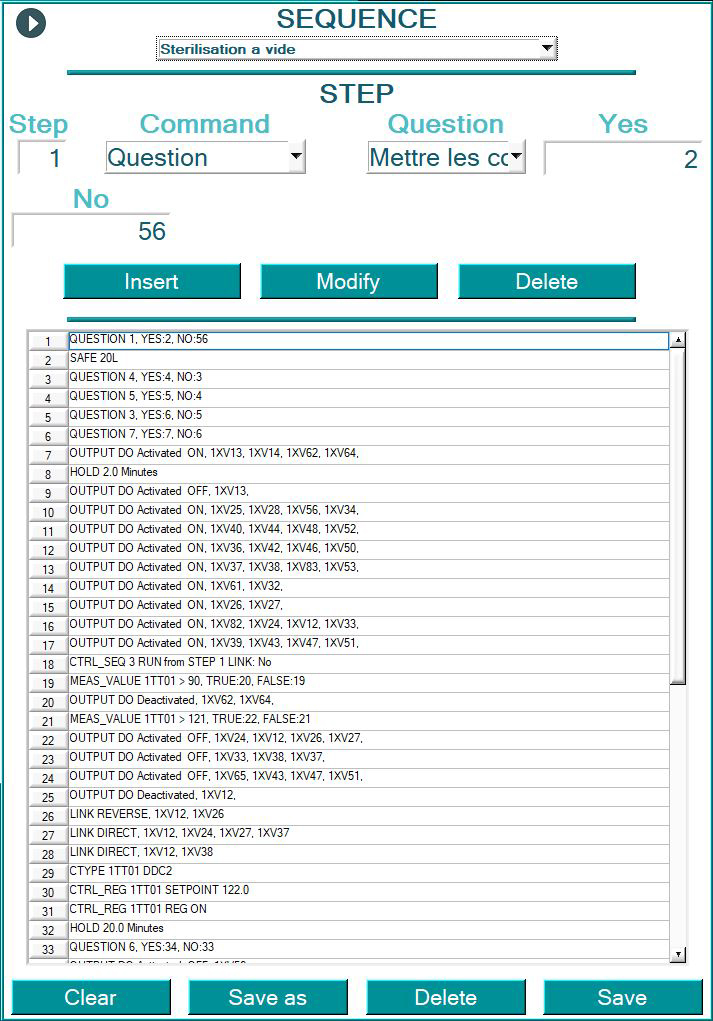
The sequence module enables a culture to be run autonomously or a complete industrial installation to be controlled, in an intuitive and easy-to-program way:
- Controller configuration (PID, setpoint, operating mode, measurements, actuators…)
- Start and stop of any actuator (valve, pump, motor…)
- Profile launching and conditional sequence management
- Parameter monitoring and notification when required
- Interaction with the Calculation module
Calculation module
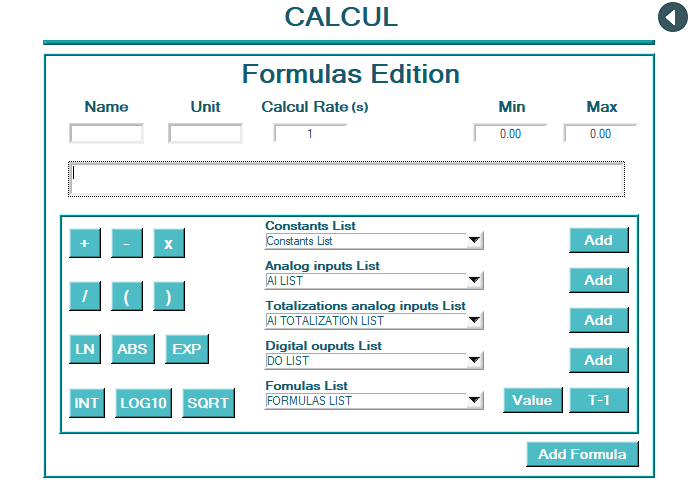
Creates calculations from recorded analogue values and user-defined constants:
- New control loops: free sensor/actuator association (cascade, direct action, modulating…)
- Real-time calculation of fermentation parameters (OTR/OUR…)
- Exponential, logarithmic and other functions usable as control setpoints
- Detection of trend changes (slope, substrate consumption, inversion…)
- Nested calculations — one calculation can feed into another
Control loops
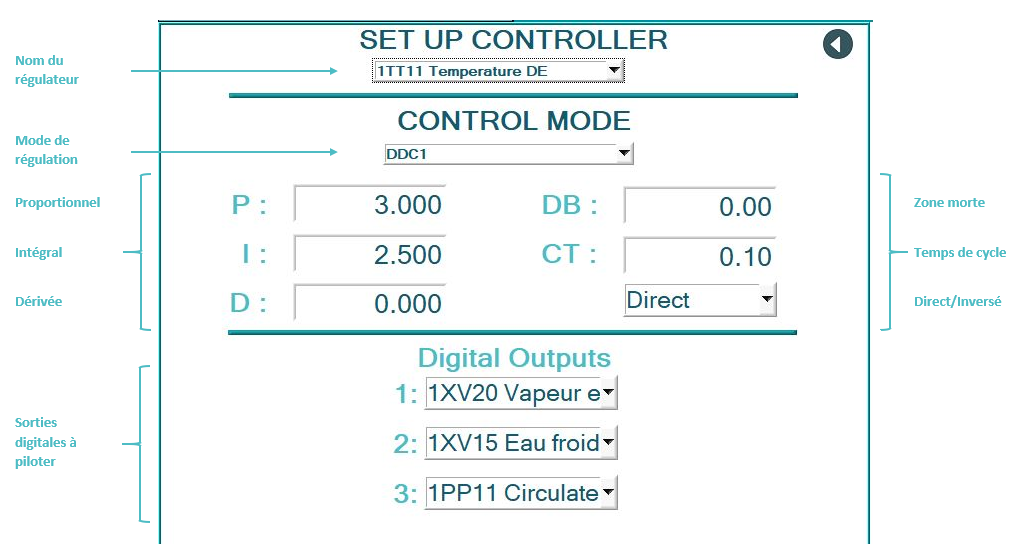
Each controller is fully configurable by users with the appropriate rights:
- Adaptation of actuators, control type and response for each culture
- Reaction speed adjustment to suit strain sensitivity
- Control parameters saveable and reloadable by project — multiple parallel cultures without reconfiguration
- Ability to create a pO2 control loop based on slope (obtained by calculation) acting on glucose feed flow
Export & traceability
Data export
Export is completed in just a few clicks: saving the selected batch to hard drive, external drive, USB key or network, in Excel-compatible CSV format.
- All sensor, controller and comment values
- Direct use in Excel: curves, batch comparisons, analyses
- Export also available in .txt and .xls
Reports module
Generation of non-editable batch reports, incorporating acquisition curves and the complete audit trail:
- Alarms, events and operator actions
- Logins/logouts and operator comments
- Integrated electronic signatures
- Customisable reports, export in PDF format
- Visual analysis via graphs and curves
Audit trail
The Audit Trail function provides access to all data archived in the C-BIO 2™ database, for complete control and supervision of the installation:
- Alarms — real-time system alerts
- Events — complete history log
- Operator actions — tracking of every intervention
- Logins/logouts — access management
- Operator comments — contextual annotations
- Electronic signatures — compliance and authenticity